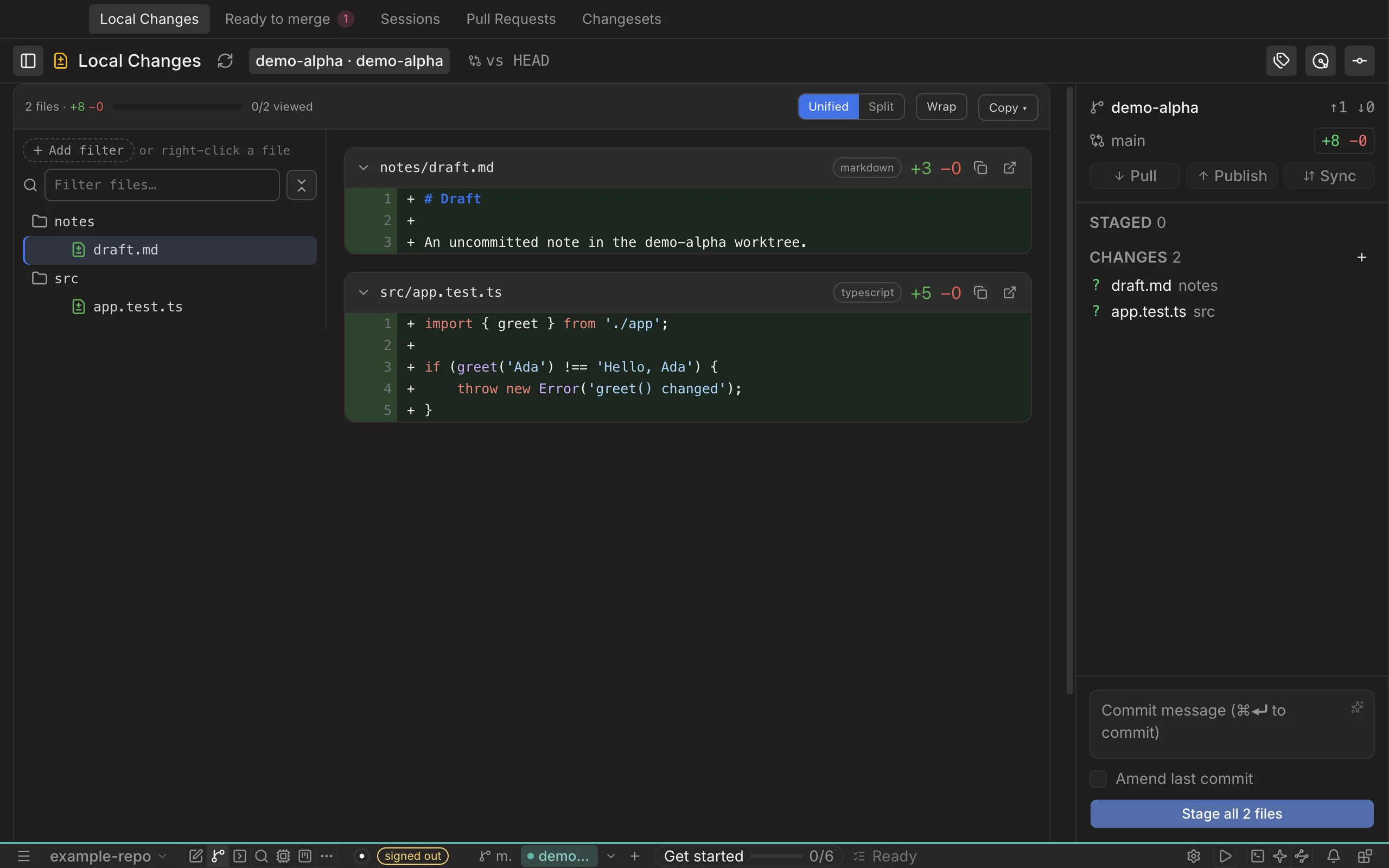
The Git view (Ctrl+4) is where you read what an agent changed before any of it is committed. It shows the uncommitted diff of the worktree you're in, which Claude session wrote each change, and lets you send line comments back to Claude.
Use this guide when Claude says it's done and you want to check its work.
Before you start
You need a worktree (or the main checkout) with uncommitted changes, and the Claude session that made them still open.
1. Open the changes
- Switch to the worktree, then press Ctrl+4.
- Local Changes lists every changed file. Pick one to see its diff, side by side or unified.
The list follows the files as they change, so you can watch while Claude works.
2. See which session changed what
The Sessions tab lists the Claude sessions that touched this checkout, and for each one the prompts and the files each prompt changed. It's the quickest way to find which request caused a change. Claude tabs in 10nx are listed by themselves; for Claude started outside 10nx, install the Session timeline's hooks.
3. Comment on lines
- Click a line in the diff (or drag across several) and write a comment.
- Add as many as you like.
- Press Send to Claude and pick the session. Your comments arrive in its input as one message, each with its file and line.
4. Commit
10nx doesn't commit for you. Either:
- ask Claude: "commit this with a clear message", or
- commit in a terminal tab (Ctrl+3):
git add -A && git commit.
Changesets (in the Git view) group uncommitted files into separate commits when one checkout holds more than one change.
5. Open a pull request
Push the branch and open the PR the way you usually do, for example gh pr create in a terminal or by asking Claude. Pull Requests in the Git view also keeps local pull requests: a branch-against-base review you can comment on line by line before anything is pushed.
Approve from your work list
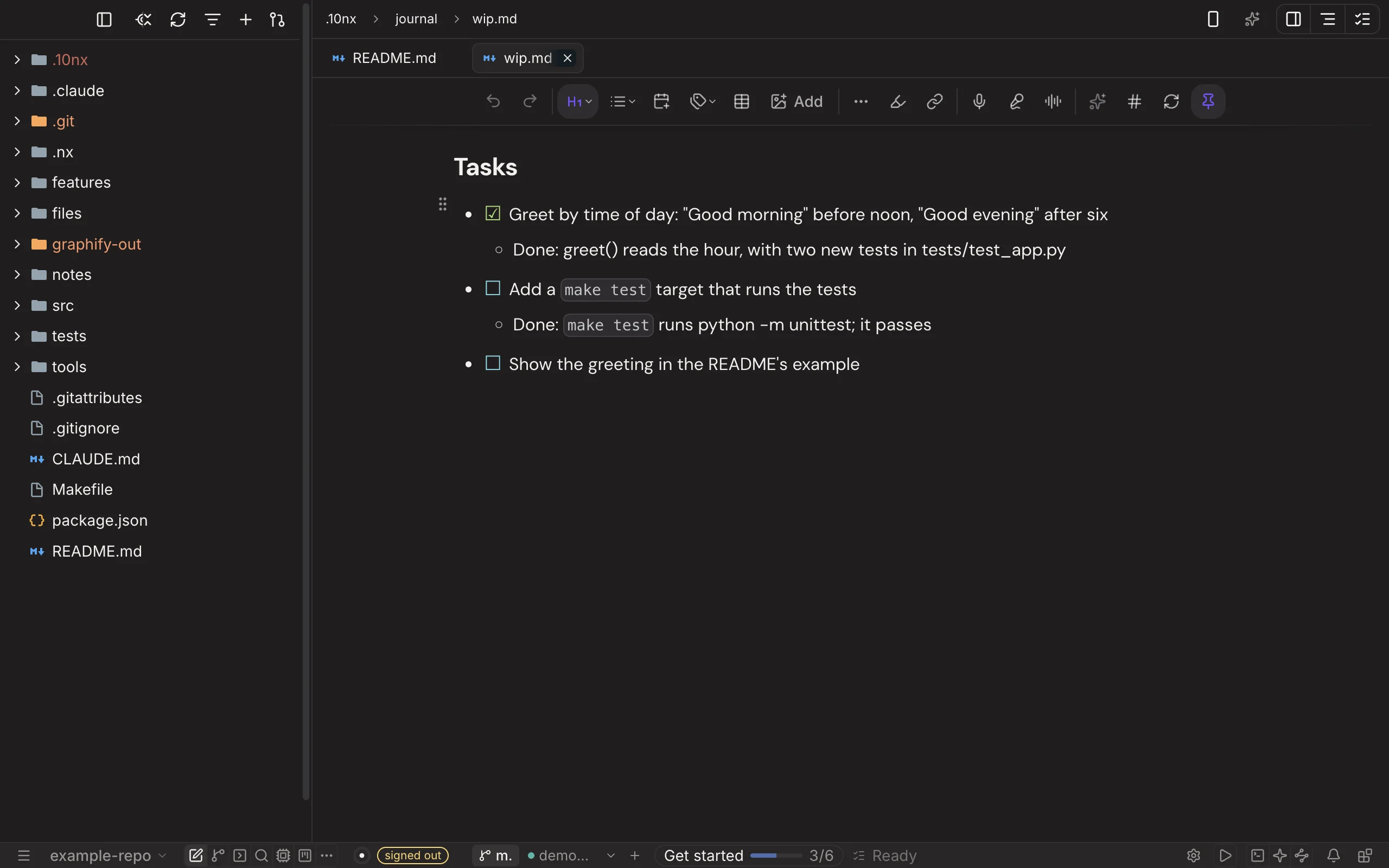
Your work list is .10nx/journal/wip.md, a note of ☐ items. Hand an item to Claude, and when it's finished Claude writes Done under it, saying what it did. Claude can't tick the box: in a 10nx Claude tab, a hook stops any edit that turns ☐ into ☑. Once you've read the diff, tick it yourself.
Check it worked
After the commit, Local Changes is empty for that worktree, and git log in its terminal shows the new commit on the worktree's branch.