10nx comes as a DMG for Apple-silicon Macs. On first launch it checks for the tools agents need (git, Claude Code, Codex, the GitHub CLI) and offers to install whichever are missing.
Use this page when you're installing 10nx for the first time, or setting it up on a new Mac.
Before you start
You need:
- A Mac with Apple silicon (M1 or later). Intel Macs aren't supported.
- macOS 13 Ventura or later.
- A Claude subscription (Pro or Max) or an Anthropic API key, for Claude Code. A ChatGPT plan for Codex is optional.
You don't need Homebrew, Node or Python. 10nx carries its own runtime.
Install the app
- Download the DMG from the 10nx site.
- Open it and drag 10nx into Applications.
- Open 10nx from Applications or Spotlight.
The app is signed and notarized by Apple, so macOS opens it without a warning. If macOS says it can't check the app, see Common problems.
Check your tools
The first time 10nx opens, it shows Check your tools, one row per tool, in this order:
| Check | What 10nx looks for | If it's missing |
|---|---|---|
| Git | git, which on macOS comes with the Command Line Tools |
Opens Apple's installer for the Command Line Tools |
| Claude Code | claude |
Runs Anthropic's official installer |
| Claude sign-in | claude auth status |
Opens Terminal on claude auth login |
| Codex | codex |
Optional. Shows how to install it |
| Codex sign-in | Codex's own login check | Opens Terminal on Codex's login |
| GitHub CLI | gh |
Optional. Shows how to install it |
| GitHub sign-in | gh auth status |
Opens Terminal on gh auth login |
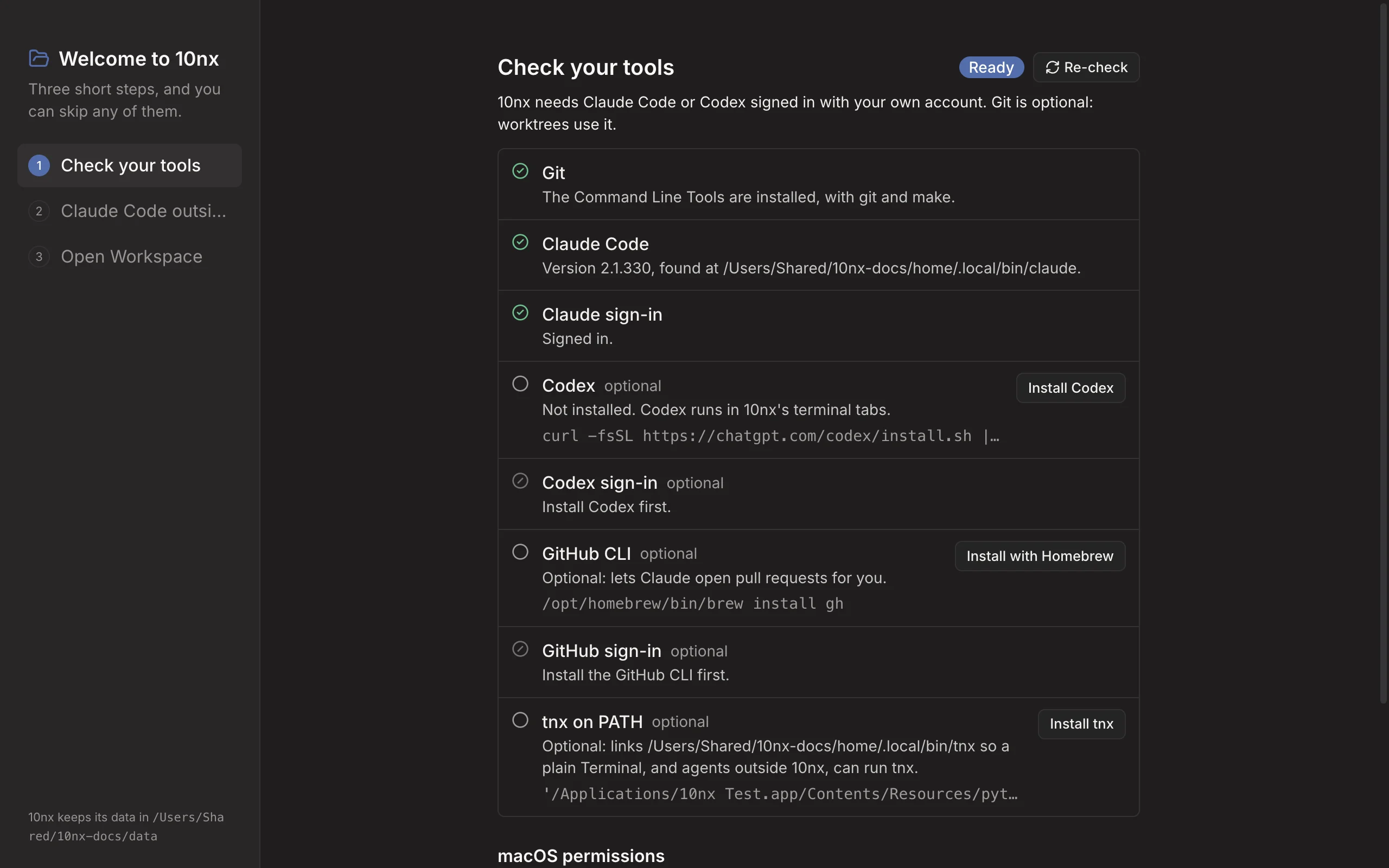
Press the button on a row to fix it, then Re-check. A row that needs another one first (a sign-in before its tool is installed) waits until that one is done.
10nx finds claude and codex on your login shell's PATH, then in ~/.local/bin, /opt/homebrew/bin and /usr/local/bin. If it installs one somewhere your shell doesn't look, it saves the path in Settings › Agents so the app still finds it.
Every Claude tab 10nx opens already has the 10nx skills (The tnx skill). To use them in Claude Code you start outside 10nx, in Terminal or an IDE, install tnx skills from Settings › Plugins: it lists everything it will write under ~/.claude first.
Check it worked
Open Terminal and run:
claude --version
claude auth status
Both should answer without an error. Then, on first run's last step, Open Workspace, pick Open a folder… for your own repo or Open the example repo to look around first.
Next steps
- Your first workspace: open a repo and start Claude in a worktree
- Try the example repo: a ready-made repo to explore every feature
- Common problems:
claudenot found, the Command Line Tools prompt, Gatekeeper