An agent is a command 10nx runs in a terminal tab for you, like claude, codex or pi. The window has two sections for them: the Agent section for every coding agent, and the Terminal section for shells and Run menu actions.
Use this page when you want to know which agents 10nx starts, how it runs them, and where to change that.
The two sections
| Section | Opens with | Holds |
|---|---|---|
| Agent | Ctrl+2, or Cmd+Esc to start one | Claude, Codex and your custom agents, with an input bar underneath |
| Terminal | Ctrl+3 | Shell tabs and Run menu tabs |
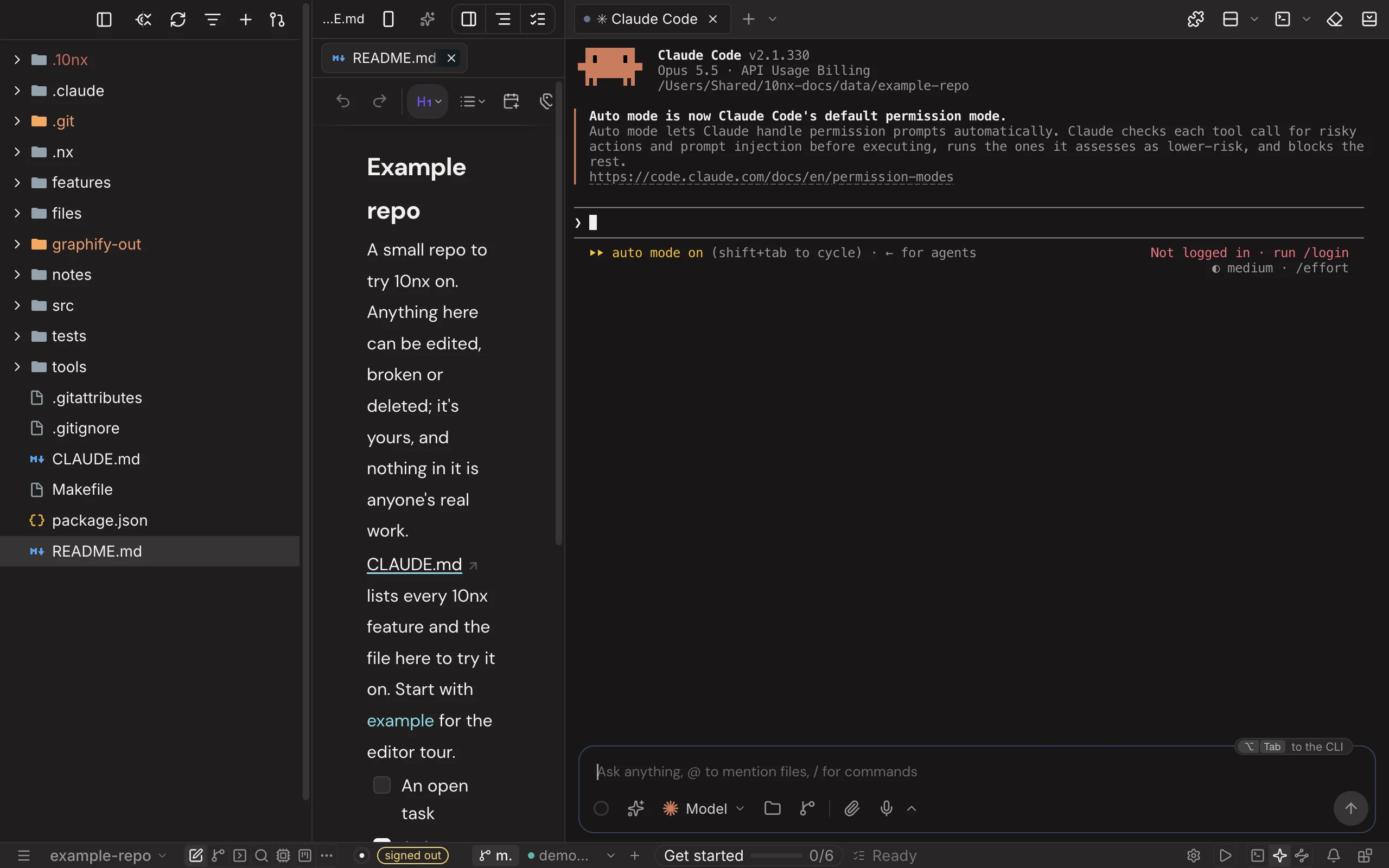
Type your prompt in the input bar under an agent tab and press Enter: it goes to the tab above, with your history, pasted images and dictation. Opt+Tab moves the cursor into the CLI itself.

The + on each section opens a new tab: the Agent section starts your default agent, the Terminal section starts a shell. The ▾ beside it lists every agent, with the default marked. Claude-only extras (the session status dot, the account chip, resume) show on Claude tabs only.
The two sections can sit side by side or one above the other, and each can be split. Tabs keep running when you hide a section, switch worktree or reload the window.
Built-in agents
| Agent | Runs | Use it for |
|---|---|---|
| Claude | claude |
A new Claude Code session |
| Claude (resume) | claude -r |
Pick an earlier session to resume |
| Claude (continue) | claude -c |
Continue the last session in this folder |
| Codex | codex |
A new Codex session |
| Shell | your $SHELL |
A plain interactive shell |
agents.default picks which one + starts. In the Agent section, a default of shell still starts Claude.
Custom agents
Add your own in Settings › Agents, or in ~/.10nx/settings.toml:
[[agents.custom]]
id = "opus"
command = "claude --model opus"
label = "Claude (Opus)"
is_claude = true
Model, effort and any other flag ride on the command. is_claude = true tells 10nx the command is Claude Code, so it turns on the extras only Claude gets, like the IDE connection. Full steps: Add a custom agent.
How 10nx runs them
- Every tab runs through your login shell, as
$SHELL -i -c <command>, so your aliases,PATHand shell setup all apply. - The terminal's command markers (which command ran, where its output starts) load automatically for zsh and bash. Your own rc files load first, unchanged.
claudeandcodexare found on yourPATH, unlessclaude_executable_pathorcodex_executable_pathsays otherwise. Those paths apply to the built-in agents only; a custom agent runs its command as written.- Each tab gets the
TNX_*variables for its worktree (Environment variables).
Claude knows about the editor
A Claude tab is connected to 10nx the way an IDE connects to Claude Code: Claude sees which file you have open and what you've selected. Press Cmd+Opt+K to send the selected lines to Claude as an @file#L reference.
From the command line
tnx agent works on the Agent section from any terminal, and from the agents inside it. Shells are tnx terminal.
tnx agent open codex                              # a new Codex tab, like picking it from +
tnx agent open "Pi (DeepSeek)" --name pi-worker   # a custom agent, by its label, id or command
tnx agent open claude --name fixer --prompt "Fix the login redirect"
tnx agent list                                    # this workspace's agent tabs
tnx agent send fixer "Rebase onto main first"     # typed in as: [from <your tab>] Rebase onto main first
tnx agent wait fixer                              # prints idle when its turn ends, or timeout
openstarts the agent in the window that holds the current folder, behind the tab on screen.--worktreeand--workspacepick another place;--promptis for Claude only.sendfinds the tab by its name (the name you gave it with--name, a renamed tab's name, or its title) and signs the message with the sending tab's name, so an agent's message never reads as yours. Outside a 10nx tab, say who it's from with--from.waitreturns when the tab goes quiet; for a Claude tab, also when Claude's turn has ended.
Each tab knows its own session id (TNX_SESSION_ID), and a named tab its name (TNX_AGENT_NAME), so a Pi or Codex inside a tab can tnx agent send a Claude tab, and back.